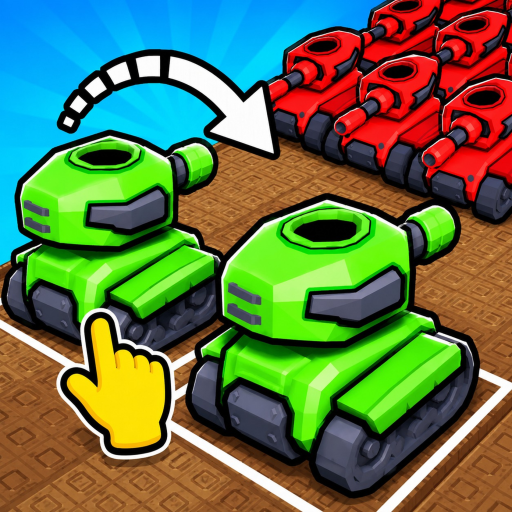
Merge a Tank Beginner Guide: Buy, Merge, Battle, and Reinvest
Merge a Tank beginner guide explains the buy, merge, battle, cash, and reinvest loop with first-session checks and clear evidence limits.
This merge a tank beginner guide gives you a practical route through the exact player task without pretending that update-sensitive prices, rates, or rankings are settled. Use the confirmed mechanics first, then verify every changing value in the live Roblox experience before you spend.
Open the official Roblox experience to verify live prices, labels, requirements, and results before acting on an update-sensitive detail.
Evidence note: This page publishes only the scope supported by the official game description and target-game gameplay observations. Missing values and lists are left unconfirmed rather than guessed.
The following gameplay video is useful for seeing the purchase, matching, battle, and cash loop in motion. Treat its exact values as recording-specific observations.
Use this quick check before the next action:
- Confirm the matching units or visible objective.
- Check whether the base still has enough coverage.
- Read the current cost or effect in the live interface.
- Keep a reserve when the next requirement is unknown.
Your first five actions
Start with the loop the official experience describes: buy tanks, combine matching tanks, send stronger units against enemy tanks, collect cash, and reinvest. The order matters because a purchase that cannot form a pair may delay your next useful merge.
Keep the first session simple. Learn where purchased tanks appear, identify equal units before dragging anything, and watch whether your defense is holding. Exact prices are deliberately omitted because the current evidence does not establish a stable shop table.
A clean beginner decision loop
Before every purchase, ask whether it creates a match, protects the base, or advances a visible objective. If it does none of those things, save the cash until the live interface gives you a clearer choice.
Recorded gameplay shows players buying starter tanks, matching equal levels, and using the stronger result in battle. Treat that as an observed workflow, not proof that every future update uses the same buttons, costs, or tutorial order.
| Check | How to use it |
|---|---|
| Observe | Read the current board, battle pressure, and visible balance |
| Decide | Choose one matching, spending, or defense action with a clear purpose |
| Verify | Confirm the result in the live interface before repeating |
What to build toward
The official page identifies three broad goals after the first loop: unlock more tank types, improve base defenses, and increase cash earnings. Pick the weakest part of your current loop instead of chasing an unsupported “best” build.
If enemies are reaching the base, protect the defense side first. If combat is stable but progress feels slow, look for a matching purchase or a visible upgrade whose cost and effect you can confirm before committing.
Used this way, the merge a tank beginner guide stays tied to visible outcomes: one decision, one result, and one live verification before the next spend or merge.
Beginner mistakes worth avoiding
Do not spend every coin simply because a tank is available. A small reserve gives you room to complete the next pair or react to a defense problem. Do not merge unlike tanks, assume a video’s old price is current, or treat an observed tank name as a complete roster.
Use the live game as the final check for prices, unlock requirements, and menu placement. The official Roblox page and creator links are the right places to confirm broad features and announcements.
FAQ
How to play tank game in Roblox?
Start with the official buy, merge, battle, cash, and defense loop, then confirm the current interface for any price, requirement, or label. Recorded gameplay can demonstrate actions but does not freeze future values.
Is this merge a tank beginner guide still accurate after an update?
The broad claims come from the official experience and target-game observations checked on 2026-08-07. Recheck update-sensitive values and menu locations in the live game.
Where should I verify a changing value?
Use the live Roblox experience first, then creator-owned links for announcements. Avoid transferring mechanics, codes, or numeric tables from another game.